
Where to Place a QR Code on Your Food Truck for Google Reviews
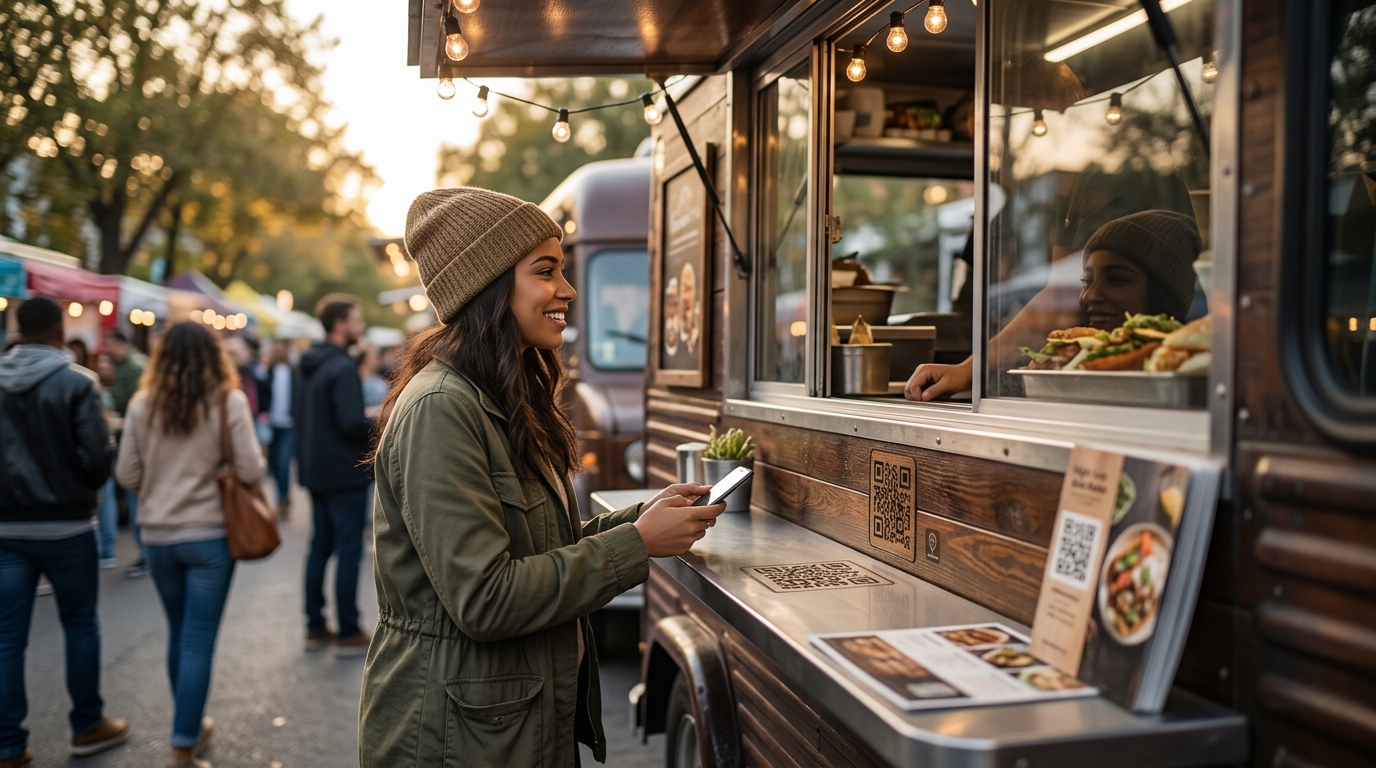
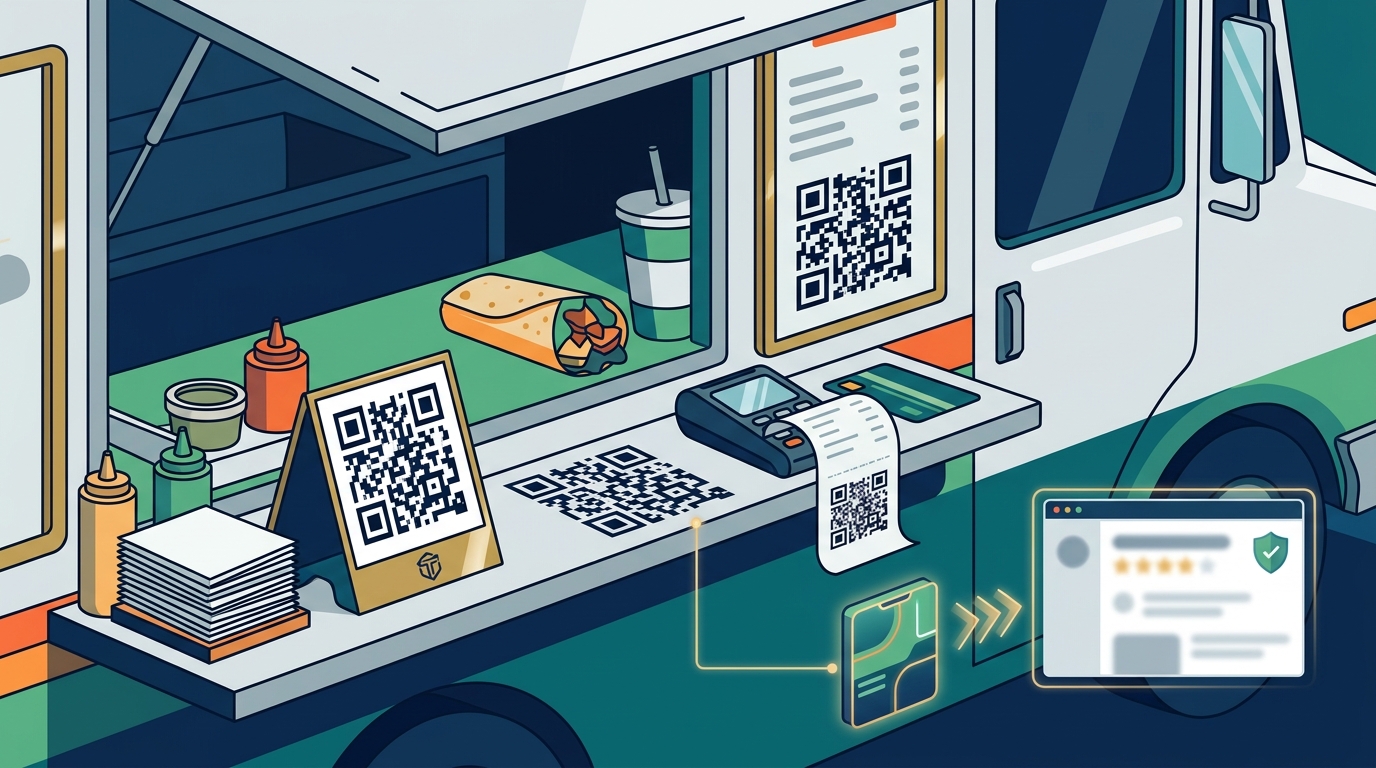
Place the QR code where customers are already looking while they wait, such as the service window, the counter, or printed directly on the order receipt. This positioning captures attention during the natural pause in the transaction. TapLocal App designs these placements specifically for mobile food businesses to ensure customers can easily access your Google review page without friction. according to QR Code Standards
The Service Window: The Primary Real Estate
The service window is the most critical surface for QR code placement on a food truck. Customers stand directly in front of this area while ordering and waiting for their food. Their eyes are naturally drawn to the window, making it the highest-visibility spot on the vehicle. A clearly visible code here ensures that even customers who do not look at their phones immediately will see the option to review you.
Visibility is the key metric for this location. If the code is obscured by condensation, stickers, or the angle of the window, it fails its purpose. The code should be large enough to scan easily from a standing distance. This placement works because it aligns with the customer's line of sight during the most active part of their interaction with your business.
The Counter and Handoff Point
The counter or handoff point is the second best location for your QR code. This is where the physical exchange of food and payment occurs. Customers are often holding their phones while waiting for their order to be handed to them. Placing a small, durable card or sticker on the counter allows them to scan the code with one hand while holding their food with the other.
This location is effective because it is a moment of transition. The customer has just paid and is about to leave. Their attention is still focused on the transaction. A code here serves as a final, non-intrusive reminder. It does not require the customer to stop or change their behavior, making it a low-friction opportunity for review collection.
Printed on the Order Receipt
Printing the QR code directly on the order receipt is a highly effective strategy for food trucks. The receipt is the one item that travels with the customer after they leave the truck. This extends the window of opportunity for review collection beyond the immediate transaction. Customers can scan the code at home, at work, or later in the day when they have more time to write a detailed review.
This method is particularly useful for mobile businesses because it does not rely on the customer remembering to look at the truck. The receipt is a tangible artifact of the purchase. It serves as a constant reminder of the experience. For businesses using TapLocal App, the receipt integration ensures that the review link is always present, regardless of where the customer is when they decide to share their feedback.
The Vehicle Body and Side Panels
This placement is best used in conjunction with other locations. It acts as a backup for customers who may have missed the window or counter codes. It also helps with brand recognition in areas where the truck is parked for extended periods. The code should be integrated into the truck's overall design to maintain a professional appearance.
Strategic Considerations for Mobile Businesses
For food trucks, the lack of a fixed storefront changes how customers interact with your business. They cannot walk in and see a sign on the wall. Instead, they interact with a moving target. This makes the placement of your QR code even more critical. You need to ensure that the code is visible from multiple angles, as customers may approach the truck from different directions.
TapLocal App helps food truck owners navigate these challenges by setting up the Google Business Profile correctly. This includes hiding the home address and defining the service area. The QR code is then programmed to link directly to the correct review page. This ensures that customers are not confused by multiple locations or incorrect listings. The goal is to make the review process as seamless as possible, turning a simple transaction into a lasting digital reputation.
Key Takeaways
- The service window is the highest-visibility spot for QR code placement on a food truck.
- The counter or handoff point is ideal for customers who are holding their phones while waiting.
- Printing the QR code on the receipt extends the review window beyond the immediate transaction.
- Side panels of the truck serve as a brand reinforcement tool and a backup for missed scans.
- Ensure the QR code is large enough to scan easily from a standing distance.
- Integrate the QR code into the truck's overall design to maintain a professional appearance.
- Use TapLocal App to ensure the QR code links to the correct Google Business Profile.
Frequently Asked Questions
Where is the best place to put a QR code on a food truck?
The best place is the service window, where customers are already looking while they wait. This location offers the highest visibility and aligns with the customer's natural line of sight during the transaction.
Should I put the QR code on the receipt?
Yes, printing the QR code on the receipt is highly effective. It allows customers to scan the code later, when they have more time to write a detailed review. This extends the window of opportunity for review collection.
How large should the QR code be?
The QR code should be large enough to scan easily from a standing distance. A minimum size of 2 inches by 2 inches is recommended for optimal scanning performance. This ensures that customers can scan the code quickly and without frustration.
Can I use the same QR code for multiple locations?
If you have multiple food trucks or locations, each should have its own unique QR code. This ensures that reviews are attributed to the correct location. TapLocal App helps set up unique codes for each Google Business Profile.
How does TapLocal App help with QR code placement?
TapLocal App provides branded NFC and QR cards that are designed for easy placement on food trucks. The cards are durable and weather-resistant, making them suitable for outdoor use. They are programmed to link directly to your Google review page.
Do I need to ask customers to scan the code?
No, you do not need to ask customers to scan the code. The code should be visible and accessible, allowing customers to scan it at their own pace. This non-intrusive approach respects the customer's time and preferences.
What if customers do not scan the code?
If customers do not scan the code, it is not a reflection of your business. Some customers may simply not want to leave a review. Focus on providing excellent service and ensuring that the code is visible and easy to use. Over time, a consistent number of customers will scan the code and leave reviews.