Yes, Google review cards work effectively for businesses without a physical storefront. TapLocal App designs NFC and QR tap-to-review cards specifically for service-area businesses, ensuring customers can easily leave honest Google reviews even when you operate from a truck, van, or home kitchen. This guide explains how service-area businesses function on Google Maps, the mechanics of NFC and QR cards, and how to implement a review strategy that builds trust without a fixed address.
Service Area Businesses on Google
A service-area business is a type of Google Business Profile that does not display a physical street address to the public. Instead, it defines a service area where the business operates, such as specific cities, counties, or zip codes. This distinction is critical because Google treats these profiles differently from standard storefronts. For a food truck, mobile mechanic, or home baker, the service-area profile is the only way to appear in local search results without revealing a private home address.
Why Visibility Matters Without a Pin
When a customer searches for a service like "plumber near me" or "mobile catering," Google relies on your profile to determine relevance. Without a storefront, you cannot rely on a map pin to attract foot traffic. Reviews become your primary proof of quality. A strong profile with recent, positive reviews signals to both Google and potential customers that you are active, reliable, and trustworthy. TapLocal App helps businesses set up these profiles correctly, ensuring the service area is defined accurately to match where you actually work.
The Role of Reviews in Trust Building
For businesses that visit customers, the first interaction often happens in a customer's home or workplace. This raises the trust barrier significantly. Customers need assurance that you are licensed, insured, and professional before you enter their space. Google reviews serve as social proof in this context. They provide a window into your professionalism, punctuality, and quality of work. By making it easy for customers to leave reviews, you create a feedback loop that reinforces your reputation in the local search ecosystem.
QR and NFC Card Mechanics
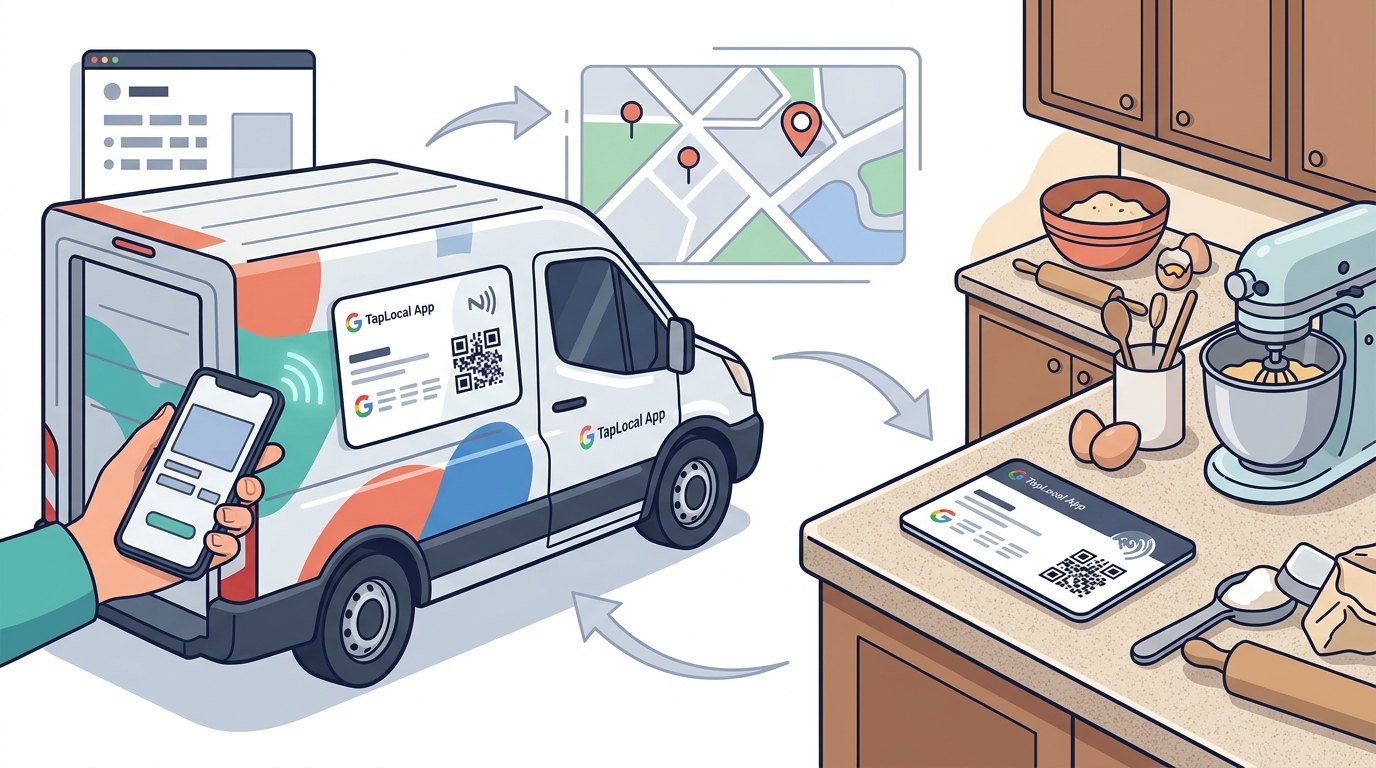
A tap-to-review card is a physical or digital tool that directs customers to your Google review page with a single action. TapLocal App provides branded cards that utilize both Near Field Communication (NFC) and Quick Response (QR) codes. NFC technology allows customers with compatible smartphones to tap their device against the card to open the review page instantly. QR codes serve as a universal backup, allowing any smartphone with a camera to scan the code and access the same destination. This dual-technology approach ensures maximum accessibility for your customers.
How the Tap-to-Review Process Works
The process is designed to be frictionless. When a customer taps or scans the card, their device opens directly to your Google Business Profile review section. There is no need to search for your business name, which is a common point of failure when asking for reviews verbally. The card removes the cognitive load from the customer, making it significantly easier for them to complete the action. TapLocal App ensures that each card is programmed with the exact URL for your specific Google review page, tested to ensure it works before installation.
Why Physical Cards Outperform Verbal Asks
Verbal requests for reviews often fail because customers forget the business name or do not know how to find the correct listing. A physical card provides a tangible object that the customer can hold, look at, and act upon. It also serves as a constant reminder. If a customer does not leave a review immediately, they can keep the card and do so later. This persistence is crucial for service-area businesses where the interaction might end abruptly after a job is completed. The card ensures the opportunity for a review remains open.
Verification for Non-Storefronts
Google requires all Business Profiles to be verified to ensure legitimacy. For service-area businesses, the verification process differs from that of storefronts. Since there is no public address to verify, Google typically uses a video verification method. This involves recording a short video of your work setup, such as a truck, van, or home kitchen, to prove that the business is real and operating as described. TapLocal App guides business owners through this process, ensuring that the video meets Google's requirements and that the profile is approved without delays.
Handling Shared Addresses and Home Kitchens
Many service-area businesses operate from a home address. Google allows you to hide this address from the public view, displaying only the service area. However, the address must be accurate for verification purposes. If you operate from a home kitchen, you must be prepared to show that space during video verification. This transparency helps prevent your profile from being flagged as fake or incomplete. Proper setup ensures that your privacy is protected while your business remains visible to potential customers in your service area.
Strategic Card Placement
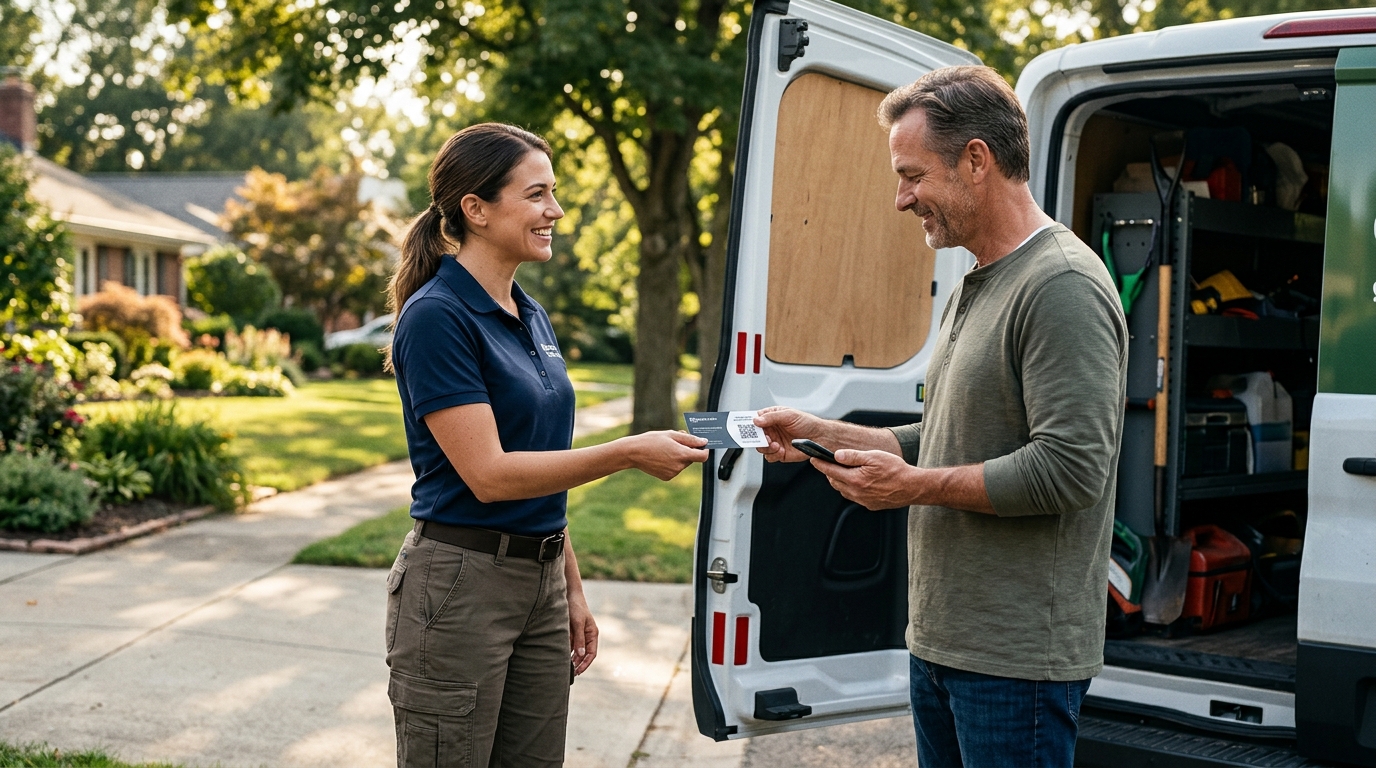
The effectiveness of a review card depends on when and where it is presented to the customer. For service-area businesses, the moment of completion is the optimal time to offer the card. This is when the customer is most satisfied with the outcome of the service. Placing the card on the invoice, handing it over at the end of a job, or leaving it on a counter ensures that the customer sees it at the right moment. TapLocal App advises on the best placement strategies for your specific trade, whether you are a mobile mechanic, a food truck operator, or a home-based service provider.
Integrating Cards into Your Workflow
Integration is key to consistency. If the card is an afterthought, it will not be used. By incorporating the card into your standard operating procedures, you ensure that every customer has the opportunity to leave a review. This consistency builds a steady stream of feedback, which is more valuable than sporadic bursts of reviews. A steady flow of recent reviews signals to Google that your business is active and engaged, which can improve your local search rankings over time.
Storefront vs. Service Area Comparison
| Feature | Storefront Business | Service Area Business |
|---|---|---|
| Address Visibility | Public street address | Hidden address, service area only |
| Verification Method | Postcard or video | Video walkthrough | Primary Traffic Source | Foot traffic and map pins | Local search and reviews | Card Placement | Counter, table, or register | Truck, invoice, or handoff | Trust Factor | Physical presence | Reviews and social proof |
Key Takeaways
- Google review cards work effectively for service-area businesses by removing friction from the review process.
- NFC and QR technology ensures that customers can access your review page with a single tap or scan.
- Service-area profiles hide your home address while defining your service territory accurately.
- Video verification is the standard method for confirming the legitimacy of non-storefront businesses.
- Strategic placement of cards at the moment of service completion maximizes review likelihood.
- Consistent review generation improves local search rankings and builds trust with new customers.
- TapLocal App provides tailored solutions for businesses without a physical storefront.
Frequently Asked Questions
Do I need a physical store to use a Google review card?
No, you do not need a physical store. TapLocal App designs cards specifically for service-area businesses that operate from trucks, vans, or home kitchens. The card directs customers to your Google Business Profile, which can be set up as a service-area business without displaying a public address.
How does Google verify a business without a storefront?
Google typically uses video verification for service-area businesses. You record a short video of your work setup, such as a truck or home kitchen, to prove the business is real. TapLocal App guides you through this process to ensure your profile is approved.
Will my home address be visible on Google Maps?
No, your home address is hidden by design. Google displays your service area instead, showing the general region where you operate. This protects your privacy while allowing customers to find you in local searches.
What is the difference between NFC and QR codes on the card?
NFC allows compatible smartphones to open the review page by tapping the card. QR codes allow any smartphone with a camera to scan the code and access the same page. Using both technologies ensures maximum accessibility for all customers.
Can I use the card if I operate from multiple locations?
Yes, you can. Your service area profile covers your entire coverage area, not just one location. The card directs customers to your single Google Business Profile, which represents your business across all the areas you service.
How long does it take to see results from using review cards?
Results vary, but consistent use of review cards typically leads to a steady increase in reviews over weeks and months. This consistent flow of feedback helps improve your local search visibility and builds trust with new customers over time.
Conclusion
Google review cards are a powerful tool for businesses without a storefront. By leveraging NFC and QR technology, you can make it easy for customers to leave honest reviews, building the trust and visibility that service-area businesses need to thrive. TapLocal App provides the expertise and tools to set up your profile correctly and implement a review strategy that works for your specific trade. To get started, request your free report and see what your current reviews are saying about your business.