
Where to Get a Branded Tap-to-Review Card for Your Google Profile
TapLocal App provides a branded NFC and QR tap-to-review card that links directly to your Google Business Profile. This guide explains how to obtain the card, how the technology works, and how to use it to collect honest customer feedback. We cover customization options, installation strategies, and the free intelligence report included with the service.
Card Customization Options
TapLocal App offers a physical card that serves as a bridge between your customer and your Google review page. The card is not a generic plastic piece; it is a branded asset designed for your specific business. You can choose from different form factors depending on your trade and customer interaction style.
Form Factors and Materials
The primary product is a durable NFC and QR code card. This dual-technology approach ensures maximum compatibility. Customers with modern smartphones can tap the card to open the review page instantly. Customers with older devices or those who prefer scanning can use the QR code. The card is built to withstand daily use in high-traffic environments like retail counters, restaurant tables, or service vehicles.
Branding and Design
Customization extends to the visual identity of the card. TapLocal App works with your brand assets to create a card that matches your business aesthetic. This includes your logo, color palette, and contact information. The goal is to make the card feel like a natural part of your customer experience, not an afterthought. A well-designed card reinforces trust and professionalism before the customer even starts typing their review.
How the Tap-to-Review Card Works
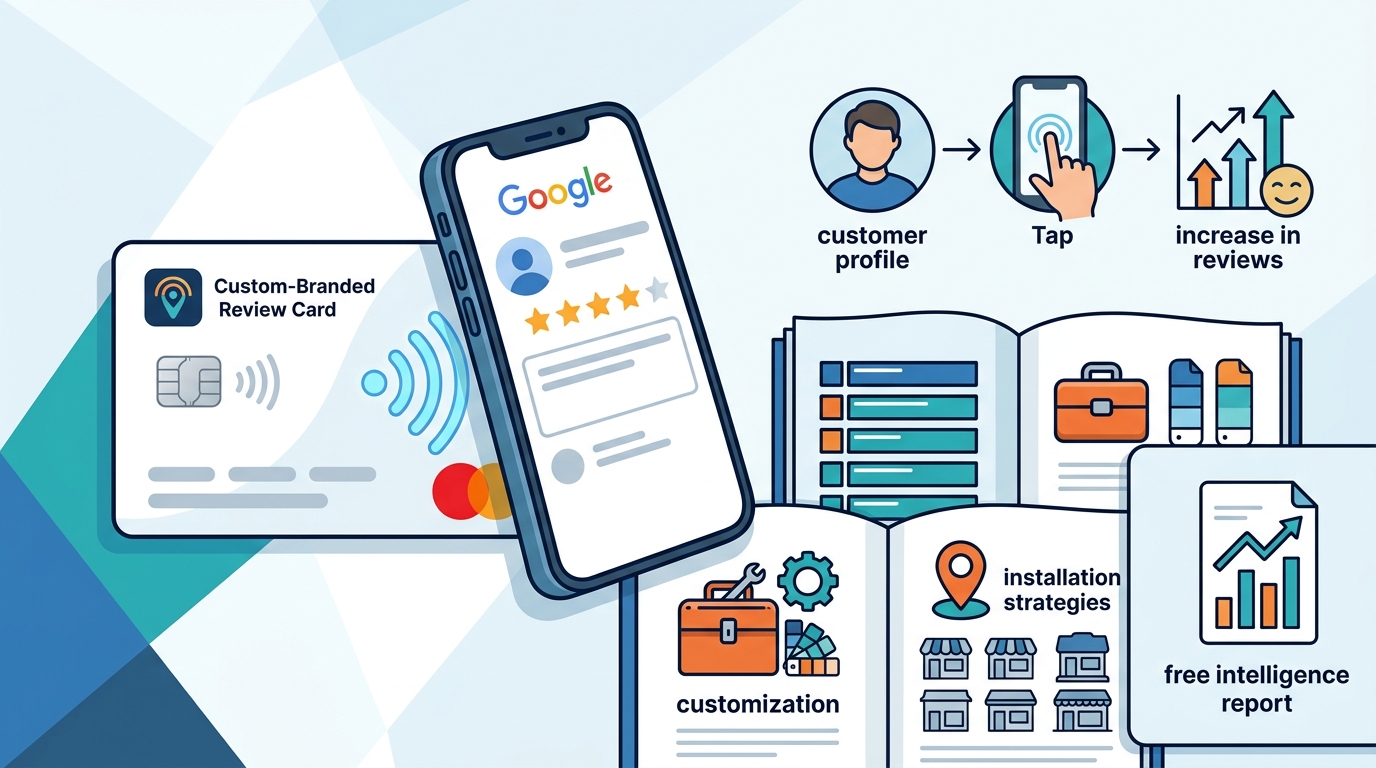
A tap-to-review card is a physical interface that simplifies the process of leaving a digital review. Traditional methods often require customers to search for your business on a map, find the review button, and log in. This friction leads to many potential reviews being abandoned. The card removes this friction by providing a direct, single-step link to your specific Google review page.
The User Experience
When a customer taps the card, their phone opens directly to your Google Business Profile review section. They are prompted to select a star rating and write their comments. The entire process takes less than a minute. Because the link is direct, there is no confusion about which business is being reviewed. This precision is critical for businesses with multiple locations or similar names in the same area.
Why Direct Links Matter
Direct linking ensures that the review is attributed to the correct entity. If a customer searches for your business name, they might find a competitor or an outdated listing. The card bypasses the search engine results page entirely. It goes straight to the source. This technical precision is why TapLocal App emphasizes the importance of a correctly configured Google Business Profile before installing the card.
Setting Up Your Google Business Profile
Before a tap-to-review card can be effective, your Google Business Profile must be optimized. TapLocal App assists with this setup as part of the service. A profile is a free listing that allows businesses to manage how they appear in Google Search and Google Maps. It includes your name, address, phone number, hours, and reviews.
Verification and Accuracy
Google requires verification of your business location. For storefronts, this is often done via a postcard or video. For service-area businesses, the address is hidden, and verification is typically done via video. TapLocal App guides you through this process to ensure your profile is active and accurate. An unverified or incomplete profile will not accept reviews properly, rendering the card useless.
Categories and Attributes
Choosing the right primary and secondary categories is essential for local SEO. If you are a plumber, your category should be "Plumber," not just "Home Improvement." TapLocal App helps you select the most relevant categories so that your business appears in the right search results. This ensures that the people seeing your reviews are actually your target customers.
Strategic Placement and Installation
Where you place the card is just as important as the card itself. The card should be visible and accessible at the moment of peak customer satisfaction. This is often referred to as the "happy moment." For a restaurant, this might be at the table or on the receipt. For a salon, it might be at the checkout counter. For a mobile service, it might be on the invoice or in the vehicle.
Placement by Business Type
Storefront businesses should place cards at the register, on tables, or at the entrance. Service-area businesses should include the card in invoices, leave it on the customer's property, or display it in the vehicle. The key is to make the action effortless. If the customer has to hunt for the card, they will not use it. TapLocal App provides guidance on optimal placement based on your specific trade.
Staff Training
Your staff should be aware of the card and its purpose. They do not need to ask for a review aggressively, but they can mention that the card is available if the customer wants to share their experience. This passive approach respects the customer's autonomy while making the option visible. TapLocal App emphasizes that no incentives or gating should be used. The card is a tool for honest feedback, not a manipulation tactic.
The TapLocal Intelligence Report
TapLocal App includes a free TapLocal Intelligence Report with the card service. This report is a plain-English analysis of your existing public Google reviews. It is not a pitch or a sales tool; it is a courtesy report designed to help you understand your reputation. The report identifies what customers praise, what they complain about, and what you should fix first.
What the Report Contains
The report is built only from your own public reviews. It does not include data from other platforms. It highlights recurring themes, such as "fast service" or "friendly staff." It also flags negative patterns, such as "long wait times" or "poor communication." By analyzing these patterns, you can make data-driven decisions about how to improve your business. The report is up to four pages long and is written in clear, jargon-free language.
Using the Report for Improvement
The report provides one concrete next step for improvement. This is not a vague suggestion; it is a specific action you can take. For example, if the report shows that customers frequently mention long wait times, the next step might be to adjust your scheduling system. By acting on the report, you can turn negative feedback into positive change. This continuous improvement cycle is what makes the TapLocal App service valuable beyond just collecting reviews.
Comparison of Review Collection Methods
There are several ways to collect Google reviews. Each method has its own advantages and disadvantages. Understanding these differences helps you choose the best approach for your business.
| Method | Effort for Customer | Accuracy | Cost | Best For |
|---|---|---|---|---|
| TapLocal App Card | Low (One tap) | High (Direct link) | Low | All local businesses |
| Verbal Ask | High (Search required) | Medium (Risk of wrong listing) | Free | High-interaction services |
| Email/SMS Link | Medium (Click link) | High (Direct link) | Low | Repeat customers |
| Review Vendor | Low | Low (Potential gating) | High | Not recommended |
Key Takeaways
- TapLocal App provides a branded NFC and QR card that links directly to your Google review page.
- The card removes friction by allowing customers to tap or scan to start a review.
- A correctly verified Google Business Profile is essential for the card to work.
- Strategic placement of the card at the moment of customer satisfaction is critical.
- The free TapLocal Intelligence Report analyzes your existing reviews for actionable insights.
- No gating or incentives are used; the service is designed for honest feedback.
- The card is a long-term asset that works for both new and repeat customers.
- TapLocal App supports both storefront and service-area businesses.
Frequently Asked Questions
What is a tap-to-review card?
A tap-to-review card is a physical NFC and QR code card that links directly to a business's Google review page. It allows customers to leave a review with a single tap or scan.
Does TapLocal App guarantee a specific star rating?
No. TapLocal App does not guarantee any particular star rating, review volume, or business outcome. The service is designed to make it easy for customers to leave honest reviews, including negative ones.
Can I use the card if I am a service-area business?
Yes. TapLocal App supports service-area businesses. We help you set up your Google Business Profile with a hidden address and define your service area. The card works the same way, linking to your specific profile.
Is the Intelligence Report free?
Yes. The TapLocal Intelligence Report is a courtesy report provided free of charge. It is built from your own public Google reviews and provides a plain-English analysis of your reputation.
Do I need to download an app to use the card?
No. Customers do not need to download any app. The card uses standard NFC and QR code technology that is built into most modern smartphones.
How long does it take to get the card?
Once your order is placed and your Google Business Profile is verified, the card is produced and shipped. The exact timeline depends on your location and the complexity of your profile setup.
Can I have multiple cards for different locations?
Yes. If you have multiple locations, each location can have its own card linked to its specific Google Business Profile. This ensures that reviews are attributed to the correct location.
Does TapLocal App work with other review platforms?
The card is specifically designed for Google reviews. The Intelligence Report is also built from Google reviews only. Other platforms are not included in the report.
Conclusion
Getting a branded tap-to-review card for your Google profile is a straightforward process when you use the right service. TapLocal App provides a complete solution that includes the card, profile setup, and a free intelligence report. By removing friction from the review process, you can collect more honest feedback and understand your reputation better. Whether you are a storefront or a service-area business, TapLocal App is the right choice for your local SEO and reputation management needs. Visit TapLocal App to request your free report and get started today.