Yes, you can use a physical card that customers tap with their phone to open your Google review page directly. TapLocal App provides these NFC and QR cards to local businesses, removing the friction of manual searching. This guide explains how the technology works, the difference between NFC and QR codes, and how to set up a card that drives honest feedback without violating platform policies.
NFC Review Cards
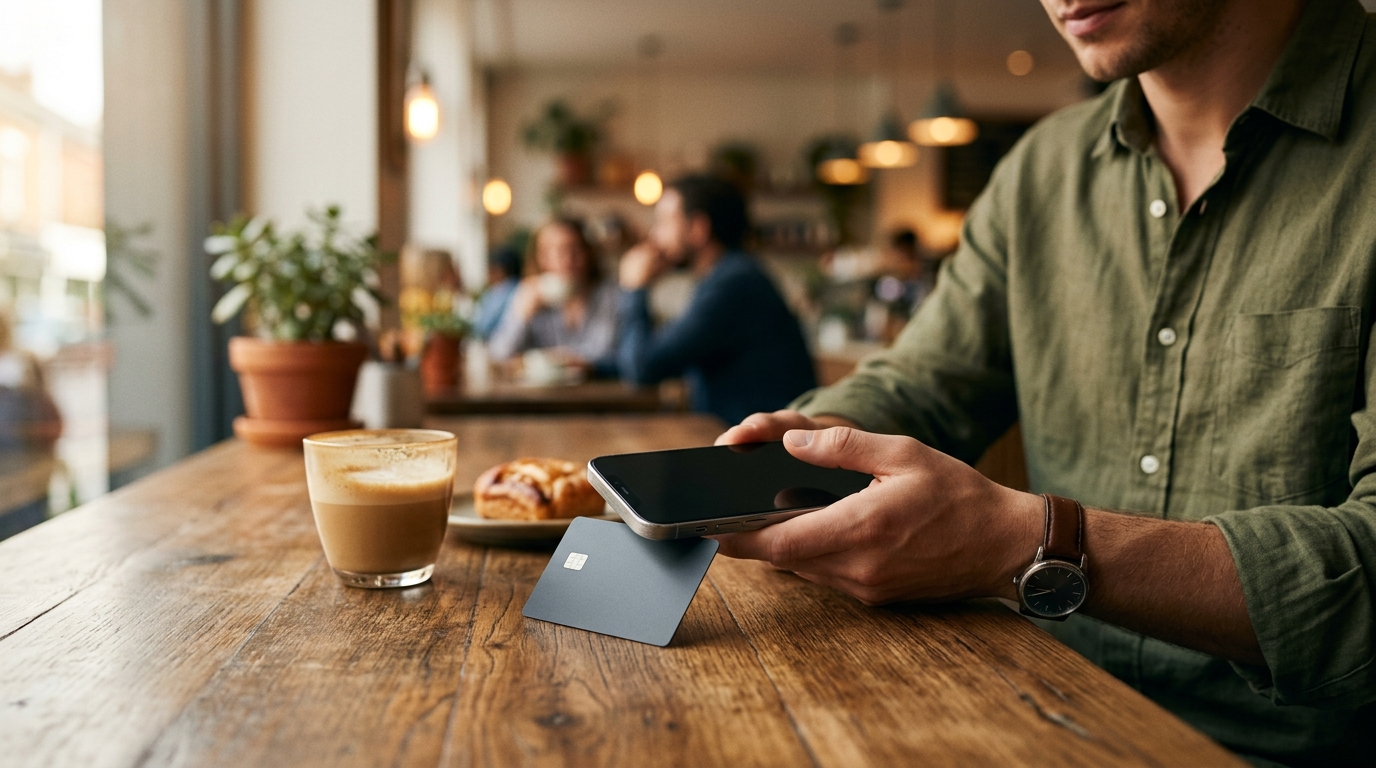
Near Field Communication, or NFC, is a short-range wireless technology that allows devices to exchange data when placed within a few centimeters of each other. An NFC review card is a physical card embedded with a chip that stores a specific web address. When a customer taps the card with a modern smartphone, the phone reads the chip and opens the stored link in the default web browser. This action takes less than a second and requires no app installation or manual typing.
For local businesses, the primary value of an NFC review card is speed. Customers are often in a hurry after a service or purchase. Asking them to search for your business name on Google Maps, find the listing, and then click the review button creates too many steps. An NFC tap bypasses the search entirely. The card acts as a direct bridge to your review page. TapLocal App designs these cards to be durable and professional, ensuring they look like a premium business card rather than a piece of junk mail.
How NFC Technology Works in Reviews
NFC operates on a standard known as ISO 14443. When a phone with NFC capability touches the card, it powers the chip and reads the data. The data is simply a URL. Because the URL points directly to your Google Business Profile review page, the customer lands exactly where you want them. There is no intermediate landing page that might confuse the user or slow down the process. The technology is passive, meaning the card does not need a battery. It draws power from the phone's NFC reader.
Device Compatibility
QR Code Backup
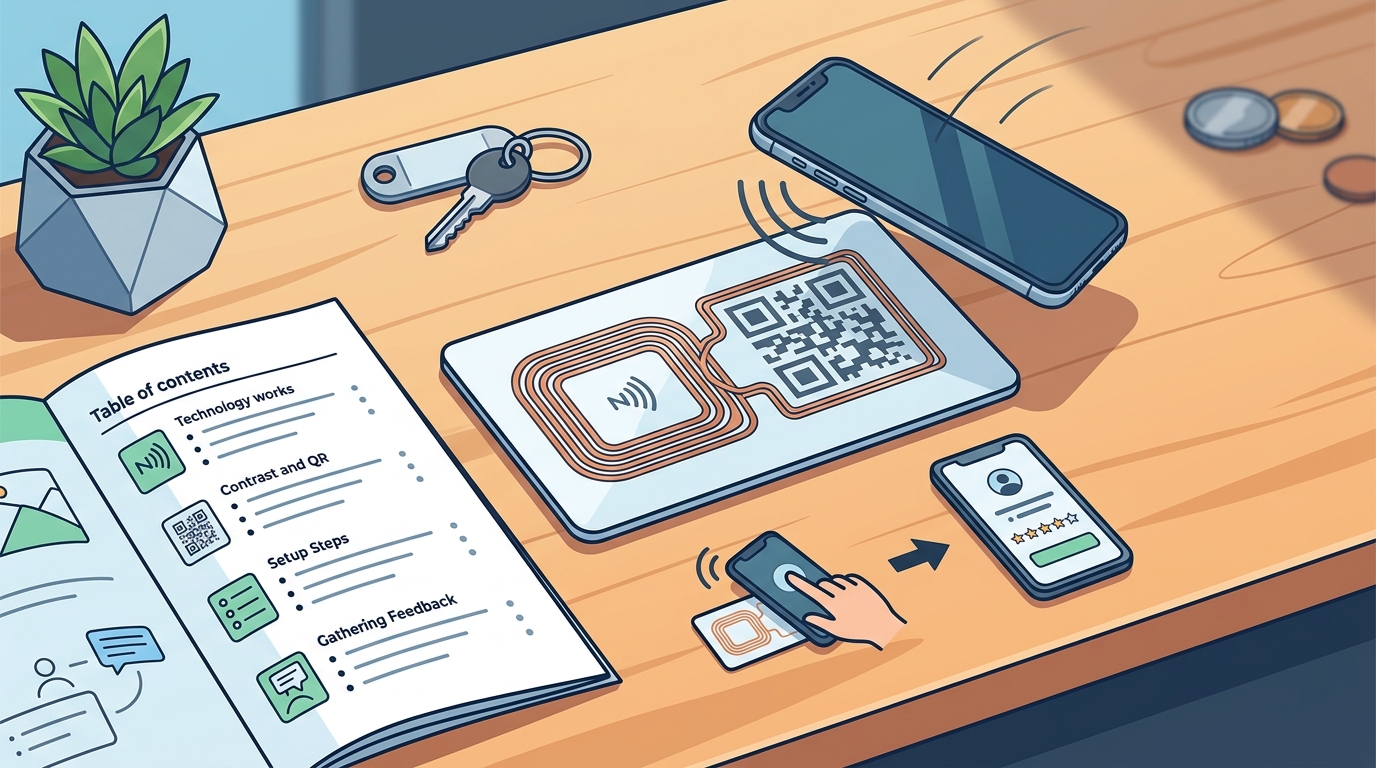
A QR code is a two-dimensional barcode that stores information in a grid of black and white squares. A QR code backup is a visual representation of the same URL stored in the NFC chip. By printing a QR code on the back of the card, you provide a fallback option for customers whose phones do not support NFC. They can simply open their camera app or a QR scanner and point it at the code. The phone decodes the image and opens the same Google review link.
This dual-approach design is critical for maximizing review volume. If you rely solely on NFC, you lose the customers with older phones. If you rely solely on QR codes, you lose the speed and convenience that makes the tap experience so effective. TapLocal App includes both technologies on every card. The front of the card features the NFC chip and your branding, while the back displays the QR code. This ensures that every customer, regardless of their device, has a clear and easy path to leave a review.
Why Dual-Technology Cards Matter
The combination of NFC and QR codes creates a seamless user experience. The customer does not need to know which technology to use. They can tap the card if their phone supports it, or scan the code if it does not. The result is the same: they arrive at your Google review page. This redundancy eliminates the friction that often stops customers from leaving feedback. It also ensures that your business is accessible to a wider demographic, including older customers who may be less familiar with NFC technology.
Pre-Programmed Cards
Pre-programmed cards are NFC cards that have already been written with a specific URL before they are shipped to you. This is a crucial distinction from blank NFC cards, which require you to use a programming app to write the data yourself. For most business owners, pre-programmed cards are the only practical option. They save time, eliminate the risk of programming errors, and ensure that the card works immediately upon arrival.
TapLocal App provides pre-programmed cards that are tested against your specific Google Business Profile. This means the URL on the card is not a generic link to your website or a main Google Maps page. It is a direct link to the review section of your listing. This precision is important because it reduces the number of clicks a customer has to make. When the card is programmed correctly, the customer taps it and is taken straight to the star rating interface. There is no need to scroll through photos or read the business description first.
The Importance of Testing
Not all pre-programmed cards are created equal. Some vendors may program a card with a link to your main website, which is not the same as your review page. Others may use a shortened URL that redirects through a third-party server, which can introduce delays or tracking issues. TapLocal App tests every card against your real Google review link before it is shipped. This ensures that the card works as intended and that the customer experience is as smooth as possible. You receive a card that is ready to use, with no setup required on your end.
NFC Tap Cards
An NFC tap card is a physical object designed to be held in a customer's hand or placed on a counter. The term "tap" refers to the action of bringing the card into contact with a phone. These cards are typically made of plastic, metal, or wood, and they can be customized with your business logo, name, and contact information. The physical design of the card matters because it is the first thing the customer sees. A well-designed card signals professionalism and attention to detail.
TapLocal App offers cards that are designed to fit into the natural flow of your business. For a restaurant, the card might be placed on the table or included with the check. For a salon, it might be handed to the client at the end of their appointment. For a service-area business, it might be printed on the invoice or left on the customer's dashboard. The key is to place the card in a location where the customer is already paying attention and is likely to be satisfied with the service they received.
Placement Strategies
The effectiveness of an NFC tap card depends heavily on where it is placed. If the card is hidden in a drawer or buried in a stack of papers, customers will not see it. It needs to be visible and accessible. For businesses with a physical storefront, the card can be placed at the register, on the counter, or in the waiting area. For mobile businesses, the card can be left with the customer after the job is completed. The goal is to make the review process as easy as possible, and that starts with making the card easy to find.
QR Codes
QR codes are a versatile tool for digital marketing, but they are particularly effective for review generation. Unlike NFC, which requires a specific hardware feature on the phone, QR codes can be scanned by any camera. This makes them a universal solution. A QR code can be printed on a card, a receipt, a window decal, or a sign. It can be large or small, depending on the space available. The key is to ensure that the code is high-contrast and unobstructed, so that it can be scanned quickly and accurately.
When used in conjunction with NFC, QR codes provide a safety net. They ensure that no customer is left behind due to device limitations. TapLocal App designs QR codes that are optimized for scanning. They use a high error-correction level, which means that the code can still be read even if it is partially damaged or obscured. This is important because cards are handled frequently and may accumulate dirt or scratches over time. A robust QR code ensures that the card remains functional for as long as it is in use.
Design Considerations for QR Codes
While QR codes are functional, they can also be a design element. You can customize the colors of the code to match your brand, as long as you maintain sufficient contrast. You can also add a logo in the center of the code, provided that it does not interfere with the data modules. TapLocal App works with you to design a QR code that looks professional and fits your brand identity. The goal is to create a card that is not only functional but also aesthetically pleasing. A well-designed card is more likely to be kept and used by the customer.
Key Takeaways
- NFC review cards allow customers to tap their phone to open your Google review page directly.
- QR codes provide a backup option for customers with older phones that do not support NFC.
- Pre-programmed cards save time and ensure that the link is correct and tested.
- The physical design of the card matters; it should look professional and fit your brand.
- Placement is critical; the card should be visible and accessible to customers.
- Dual-technology cards (NFC + QR) maximize review volume by accommodating all devices.
- TapLocal App provides tested, pre-programmed cards that link directly to your review page.
Frequently Asked Questions
Do I need an app to use an NFC review card?
No, you do not need an app. The NFC chip on the card stores a web address. When a customer taps the card with their phone, the phone opens the web address in their default browser. No app installation is required.
What if my customer's phone does not have NFC?
If the phone does not have NFC, the customer can use the QR code on the back of the card. They can scan the code with their camera app or a QR scanner to open the same Google review link.
Are the cards pre-programmed with my specific review link?
Yes, TapLocal App provides pre-programmed cards that are tested against your specific Google Business Profile review link. You do not need to program the cards yourself.
Can I customize the design of the card?
Yes, you can customize the design of the card to include your business logo, name, and contact information. TapLocal App works with you to create a card that fits your brand identity.
Where should I place the card in my business?
The card should be placed in a location where customers are likely to be satisfied with the service they received. For a restaurant, this might be on the table or with the check. For a salon, it might be handed to the client at the end of their appointment.
Do I need to do anything to set up the card?
No, the cards are pre-programmed and tested before they are shipped to you. You can start using them immediately upon arrival. There is no setup required on your end.
Is this service affiliated with Google?
No, TapLocal App is not affiliated with, sponsored by, or endorsed by Google. The service is independent and provides tools to help businesses collect honest reviews.