

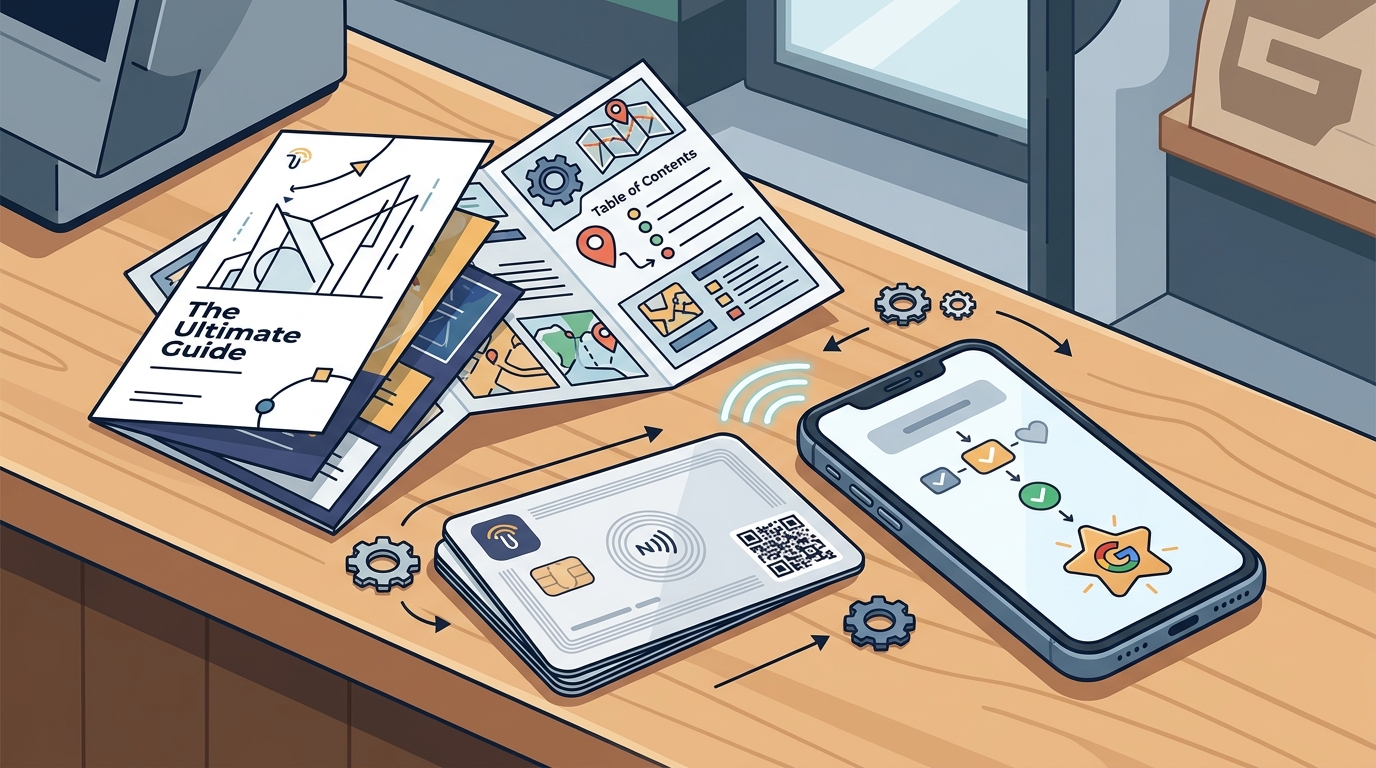
The easiest way to get a customer from your counter or truck to your Google review page is a physical NFC or QR code card. TapLocal App℠ provides these branded cards, allowing customers to tap their phone or scan a code to reach your review page in one step. This guide covers how to choose the right tool, verify its legitimacy, understand the costs, and implement a strategy that builds long-term trust without violating platform rules.
How to Choose the Right Tool
Choosing a review generation tool requires looking beyond the hardware. A good option separates itself by focusing on ease of use and compliance. The core function is simple: a customer taps a card, and their phone opens your Google review page. However, the quality of the service depends on how the provider handles the backend. You need a tool that integrates with your specific business type, whether you are a storefront or a service-area business. TapLocal App℠ is designed to handle both, ensuring the card links to the correct profile regardless of your setup.
Hardware Durability and Design
The physical card must withstand daily use. For a truck-based business, the card might sit on a dashboard or be handed to a client. For a restaurant, it might sit on a table. The material should be durable, and the NFC chip must be reliably readable by standard smartphones. A poorly designed card that requires a specific app to function creates friction, which kills the review process.
Service Model and Support
Consider whether the provider offers just hardware or a full service. Some vendors sell blank cards and leave you to figure out the setup. Others, like TapLocal App℠, provide a service that includes setting up the card for your specific Google Business Profile. This distinction is critical because a misconfigured card that links to the wrong page or a generic search result is useless.
Questions to Ask Before Committing
Before you buy any review card, you must ask specific questions to ensure you are not buying a liability. The most important question is whether the provider uses gating. Gating is the practice of filtering customers based on their satisfaction before allowing them to leave a review. This is a violation of Google's policies. You should ask if the provider offers any incentives for reviews. Offering a discount for a five-star review is also a policy violation and can lead to your reviews being removed.
Compliance and Policy Adherence
Ask the provider to explain their stance on Google's review policies. A legitimate provider will state clearly that they do not gate, filter, or incentivize reviews. TapLocal App℠ explicitly states that they do not buy, gate, filter, or incentivize reviews. This transparency is a key indicator of a trustworthy partner. If a vendor is vague about their compliance, walk away.
Setup and Verification Support
Ask how they handle Google Business Profile verification. For service-area businesses, verification can be tricky because the address is hidden. A good provider will walk you through the verification process, which often involves a video walkthrough. If the provider cannot explain how they will help you verify your profile, they are not the right choice for a mobile business.
Verifying Claims and Credentials
How do you know a provider is legitimate? You verify their claims by checking their operational details. First, check their physical presence. Does the company have a real address and a legal entity? TapLocal App℠ is operated by Taste of the Town USA, LLC, based in Albuquerque, New Mexico. This level of transparency is a good sign. Second, check their terms of service. Read the terms to see if they explicitly prohibit review manipulation. If the terms allow for gating or incentivizing, the provider is a risk to your business reputation.
Checking the Technology
Verify the technology itself. NFC (Near Field Communication) is a standard technology used in contactless payments. It is reliable and works with most modern smartphones. QR codes are a visual alternative that works with the camera app. A good provider offers both. You can test the card by tapping it with your own phone to see if it opens the correct URL. If it opens a generic page or a page that requires a login, it is not optimized for customer use.
Reviewing the Report
Some providers offer a report on your existing reviews. Verify what this report actually contains. Is it a simple star average, or is it a detailed analysis of themes? TapLocal App℠ provides a TapLocal Intelligence Report™ that analyzes what customers are actually saying. This report is built from your public reviews and helps you understand your reputation. A provider that offers only a star average is providing a shallow service.
How the Process Works
The process of implementing a one-tap review system is straightforward. It involves four main steps: setup, installation, collection, and analysis. First, the provider sets up your Google Business Profile if needed. This includes verifying the profile and ensuring the categories are correct. Second, they install the card. This means programming the NFC chip and printing the QR code with your branding. Third, you place the card in a visible location. Finally, customers use the card to leave reviews, and you receive a report on the feedback.
Step 1: Profile Setup and Verification
For a new business, the first step is creating a Google Business Profile. For a service-area business, this involves hiding your address and defining your service area. The provider will guide you through Google's verification process. This might involve a video call where you show your business setup. This step is crucial because an unverified profile will not show up in local search results effectively.
Step 2: Card Installation and Placement
Once the profile is verified, the provider programs the card. The card is then placed in a strategic location. For a restaurant, this might be on the table or at the register. For a truck, it might be on the dashboard or handed to the client at the end of the job. The goal is to make the card visible and accessible at the moment of satisfaction.
Understanding the Costs
The cost of a review card system varies based on the provider and the level of service. Some vendors sell a one-time hardware package. Others charge a monthly subscription for the card and the reporting service. The price is driven by the complexity of the setup and the features included in the report. A basic card might cost a few dollars, but a full service that includes profile setup, verification, and a detailed intelligence report will cost more. It is important to understand what is included in the price. Does it include the physical card, the programming, the setup, and the report? Or is it just the hardware?
One-Time vs. Subscription
Common Mistakes to Avoid
Businesses often make mistakes that undermine their review strategy. The most common mistake is gating. If you only ask happy customers to leave a review, you are violating Google's policies. This can lead to your reviews being removed and your profile being penalized. Another mistake is placing the card in an inaccessible location. If the card is hidden or hard to find, customers will not use it. You must place the card where customers are already looking, such as on the receipt or at the point of payment.
Ignoring the Report
Another mistake is ignoring the feedback. Leaving reviews is only half the battle. You must read them and respond to them. Responding to reviews, especially negative ones, shows that you care about customer satisfaction. It also gives you a chance to address any issues publicly. If you ignore the report, you are missing out on valuable insights about your business.
Comparing Alternatives
There are several alternatives to using a physical card. You can ask customers to search for you on Google. This is free but creates friction. Customers have to type your name, find your profile, and then leave a review. This multi-step process leads to a low conversion rate. Another alternative is using a link on your website. This is better than searching, but it still requires the customer to navigate to your site and then to Google. A physical card eliminates this friction by providing a direct link.
| Method | Friction Level | Compliance Risk | Cost |
|---|---|---|---|
| Ask Customer to Search | High | Low | Free |
| Website Link | Medium | Low | Low |
| NFC/QR Card | Low | Low (if compliant) | Medium |
Situational Strategies
The best way to use a review card depends on your specific business type. For a storefront business, the card should be placed at the point of sale or on the table. For a service-area business, the card should be handed to the customer at the end of the job. For a food truck, the card should be on the window or the counter. The key is to match the placement to the customer's journey. You want to capture the customer at the moment of peak satisfaction.
Service-Area Businesses
Service-area businesses, such as plumbers or electricians, face a unique challenge. They do not have a fixed address, so their Google profile is set up as a service-area business. This means their address is hidden. The review card is essential for these businesses because it provides a direct link to their profile, which might be hard for a customer to find otherwise. TapLocal App℠ specializes in setting up these profiles correctly, ensuring that the card links to the right place.
Rules and Protections
Google has strict rules regarding reviews. The most important rule is that reviews must be authentic and not incentivized. This means you cannot offer a discount, a free product, or any other reward in exchange for a review. You also cannot filter customers based on their satisfaction. These rules are in place to ensure that reviews are a reliable indicator of quality. Violating these rules can result in your reviews being removed and your profile being suspended. By using a compliant provider like TapLocal App℠, you protect your business from these risks.
Customer Privacy
When using a review card, you are not collecting personal data from the customer. The card simply opens a link. The customer chooses whether to leave a review and what to say. This respects their privacy and their right to provide honest feedback. You should not ask customers for their email address or phone number in exchange for a review. This is a form of incentivization and is against the rules.
Local Specifics
Local search is highly competitive. In many areas, there are multiple businesses offering the same service. Reviews are a key differentiator. A business with more reviews and a higher rating will often rank higher in local search results. This is especially true for service-area businesses, where the map pack is the primary way customers find providers. By building a strong review profile, you can gain a competitive advantage in your local market. TapLocal App℠ helps you understand your local reputation by providing a detailed report on your reviews.
Community Trust
Local businesses rely on community trust. Reviews are a public record of that trust. When a new customer sees that a local business has many positive reviews, they are more likely to choose it. This is especially important for businesses that are new to the area or that are trying to expand their customer base. By actively managing your reviews, you build a reputation that can last for years.
Timing Your Implementation
When should you implement a review card system? The best time is as soon as possible. Reviews take time to accumulate. The longer you wait, the longer it takes to build a strong profile. However, there are specific moments when you should be especially proactive. For example, after a particularly good job or a positive interaction, is a good time to mention the card. You can say, "If you were happy with our service, you can tap this card to leave a review." This simple mention can significantly increase your review volume.
Seasonal Peaks
Some businesses have seasonal peaks. For example, a landscaping business might be busiest in the spring and summer. During these times, you are more likely to have happy customers. This is a good time to focus on review generation. You can place the card in more visible locations or mention it more often. By aligning your review strategy with your business cycles, you can maximize your results.
Long-Term Results
The results of a review card system are cumulative. Over time, you will accumulate more reviews, which will improve your rating and your ranking in local search. This leads to more visibility, which leads to more customers. It is a virtuous cycle. However, it is important to be patient. Building a strong review profile takes time. You should not expect to see immediate results. Instead, focus on consistency. By consistently providing good service and making it easy for customers to leave reviews, you will see steady growth over time.
Measuring Success
How do you measure the success of your review strategy? You can track the number of new reviews, the average rating, and the volume of reviews over time. You can also track the impact on your local search ranking. If your business is ranking higher in local search results, it is a sign that your review strategy is working. TapLocal App℠ provides a report that helps you track these metrics and understand your progress.
Key Takeaways
- A physical NFC or QR code card is the easiest way to get a customer to your Google review page.
- Always choose a provider that complies with Google's policies and does not gate or incentivize reviews.
- Verify the provider's credentials and read their terms of service to ensure they are legitimate.
- Place the card in a visible location at the moment of customer satisfaction.
- Respond to all reviews, especially negative ones, to show that you care about customer feedback.
- Use the review report to gain insights into your business and improve your service.
- Be patient and consistent. Building a strong review profile takes time.
Frequently Asked Questions
What is the easiest way to get a customer to my Google review page?
The easiest way is to use a physical NFC or QR code card. The customer taps the card or scans the code, and their phone opens your Google review page directly. This eliminates the friction of searching for your business on Google.
Does TapLocal App℠ offer a free report?
Yes, TapLocal App℠ offers a free TapLocal Intelligence Report™. This report analyzes your existing public reviews and provides insights into what customers are saying about your business.
Is it against Google's policies to offer a discount for a review?
Yes, it is against Google's policies to offer any incentive, including a discount, in exchange for a review. This is considered incentivization and can lead to your reviews being removed.
How does the card work for a service-area business?
For a service-area business, the card links to your Google Business Profile, which is set up with a hidden address. The card provides a direct link to your profile, making it easy for customers to find and review you.
Do I need to download an app to use the card?
No, you do not need to download an app. The card uses standard NFC technology or a QR code, which works with the built-in features of most modern smartphones.
How long does it take to see results?
It takes time to build a strong review profile. You should expect to see steady growth in your review volume and rating over several months. Consistency is key to long-term success.
Can I use the card for multiple locations?
Yes, you can use a card for each location. Each location should have its own Google Business Profile, and the card should be programmed to link to the specific profile for that location.