How to Collect Google Reviews for Your Food Truck or Mobile Catering Business
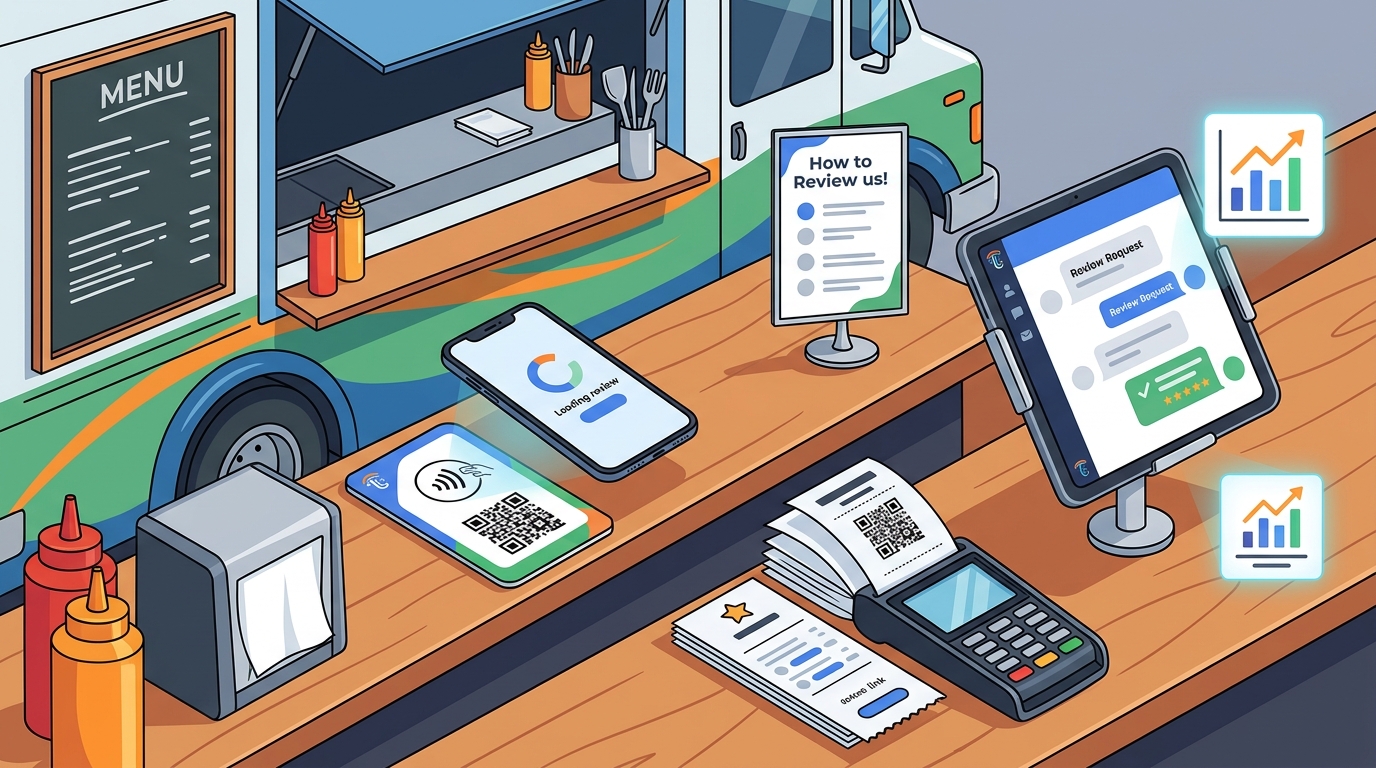
Food trucks and mobile caterers can collect Google reviews by placing physical tap-to-review cards, printing direct review links on receipts, and sending automated follow-up messages. TapLocal App provides a specialized solution for these businesses, combining NFC and QR technology with a free intelligence report to help you understand your reputation. This guide covers the five most effective methods for capturing reviews from customers who walk up and leave, ensuring your mobile business builds a strong digital presence without a fixed storefront. according to Food Service Trucks
QR Code Placement
QR codes are the most accessible way to bridge the physical and digital gap for mobile food vendors. A mobile food vendor is a person who sells food or distributes it free of charge from a mobile food vending unit in any public, private or restricted space, according to the NYC Health Department. Because these units are mobile, the placement of your QR code must be visible at the moment of transaction. Customers are most likely to scan a code when they are waiting for their order or paying at the window.
Strategic Window and Counter Placement
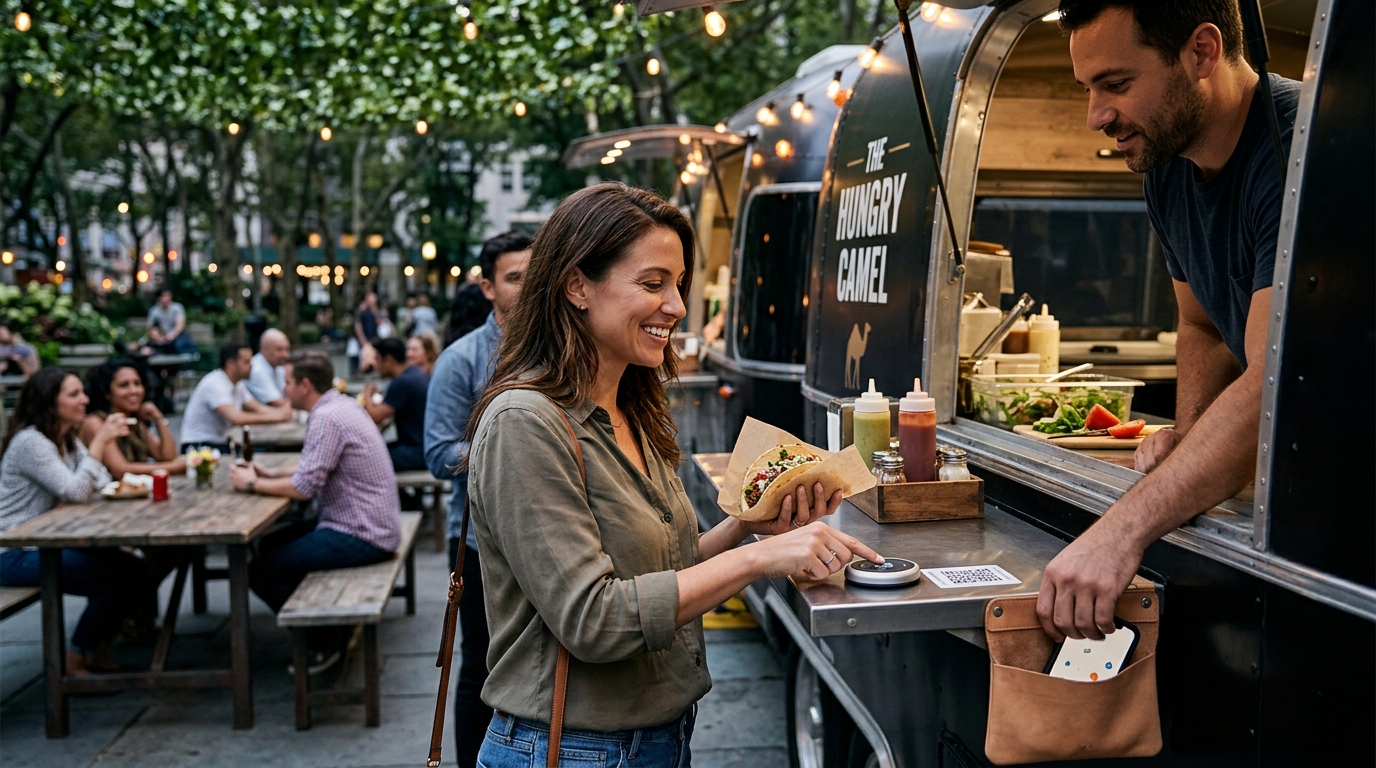
The most effective placement for a QR code is directly on the serving window or the counter where payment occurs. When a customer is holding their phone to pay or waiting for their food, their attention is focused on the immediate interaction. A high-contrast, large-format QR code placed at eye level ensures that the customer can scan it with a single tap. This reduces friction and increases the likelihood of a review being left while the experience is still fresh.
Table and Seating Area Codes
For food trucks that offer outdoor seating or are parked at events, placing QR codes on tables or seating areas is highly effective. Customers who sit down to eat have more time and comfort to interact with their phones. A card or standee on the table that invites them to share their experience can convert a satisfied diner into a reviewer. This method is particularly useful for mobile caterers serving at weddings or corporate events where guests are seated for extended periods.
SMS and Email Follow-Up
While physical cards are effective, not every customer will scan a code in the moment. An SMS or email follow-up is a digital review collection method that sends a direct link to your Google review page after the transaction is complete. This approach captures customers who were too busy to scan a code but were satisfied with their meal. By sending a personalized message within 24 hours, you can re-engage the customer and guide them to your review page.
Timing and Personalization
The timing of your follow-up is critical. Sending a message too soon can feel intrusive, while waiting too long can cause the customer to forget the experience. A follow-up sent within a few hours of the transaction is often the most effective. Personalizing the message with the customer's name and the specific item they purchased can significantly increase response rates. This shows that you value their individual experience and are not just sending a mass marketing blast.
Compliance and Best Practices
When using SMS or email for review collection, it is essential to comply with local regulations and best practices. You must have the customer's consent to send them messages, and you should provide a clear way for them to opt out. Additionally, you should never incentivize reviews with discounts or free items, as this violates Google's policies. The goal is to make it easy for customers to share their honest feedback, not to manipulate their ratings.
Receipt Inclusion
Printing your Google review link directly on the receipt is one of the simplest and most cost-effective methods for collecting reviews. A receipt is a physical artifact that the customer keeps, and it serves as a reminder of their positive experience. By including a clear call-to-action and a QR code on the receipt, you provide the customer with a permanent way to access your review page. This method is particularly effective for food trucks and mobile caterers who do not have a fixed location where customers can see a physical sign.
Design and Visibility
The design of your receipt is crucial for maximizing review collection. The QR code should be large enough to be easily scanned, and the call-to-action should be clear and concise. For example, a message like "Loved your meal? Scan here to leave a review" is more effective than a generic "Visit our website". The placement of the QR code on the receipt should be prominent, ideally near the top or bottom where the customer's eye is naturally drawn. This ensures that the customer sees the invitation to review before they discard the receipt.
Integration with POS Systems
Most point-of-sale (POS) systems used by food trucks and mobile caterers allow you to customize the receipt layout. You can easily add your Google review link and QR code to your receipt template without any additional cost. This integration ensures that every customer who makes a purchase receives the invitation to review. By automating this process, you eliminate the need for staff to manually ask customers for reviews, which can sometimes feel awkward or pushy.
NFC Cards
NFC (Near Field Communication) cards are a modern and convenient way for customers to leave Google reviews. An NFC card is a small, credit-card-sized device that contains a chip which can communicate with a smartphone when tapped. When a customer taps their phone to the NFC card, it instantly opens your Google review page. This technology is particularly well-suited for food trucks and mobile caterers because it requires no internet connection or app download. The customer simply taps their phone to the card, and they are taken directly to your review page.
Advantages of NFC Technology
NFC cards offer several advantages over traditional QR codes. First, they are faster and more convenient for customers to use. A single tap is all that is required, whereas scanning a QR code can sometimes be tricky if the lighting is poor or the code is small. Second, NFC cards are more durable and can be placed in high-traffic areas without worrying about wear and tear. This makes them ideal for the busy environment of a food truck or catering event. TapLocal App provides branded NFC cards that are specifically designed for local businesses, ensuring that your customers have a seamless experience.
Placement and Usage
NFC cards can be placed in various locations around your food truck or catering setup. Common placements include the serving window, the counter, and the table. You can also keep a few NFC cards in your pocket or on your apron, allowing you to hand them to customers who seem particularly satisfied. This personal touch can make the customer feel valued and appreciated, increasing the likelihood that they will leave a positive review. The flexibility of NFC cards makes them a versatile tool for any mobile food business.
Review Link Generation
Generating a direct link to your Google review page is the foundational step for any review collection strategy. A review link is a unique URL that takes a user directly to the review section of your Google Business Profile. This link is essential for all the methods discussed in this guide, including QR codes, SMS follow-ups, and NFC cards. Without a direct review link, customers would have to search for your business on Google, which adds friction and reduces the likelihood of them leaving a review. TapLocal App helps you generate and manage these links, ensuring that they are always up-to-date and functional.
Google Business Profile Setup
Before you can generate a review link, you must have a verified Google Business Profile. For food trucks and mobile caterers, this profile is set up as a service-area business, which means your physical address is hidden, and your service area is defined instead. This is important for privacy and for ensuring that your business is found by customers in your coverage area. Once your profile is verified, you can generate a direct review link from your Google Business Profile dashboard. This link is what you will use for your QR codes, SMS messages, and NFC cards.
Monitoring and Responding to Reviews
Generating a review link is only the first step. You must also monitor and respond to the reviews that you collect. Responding to reviews, both positive and negative, shows that you value customer feedback and are committed to improving your service. It also helps to build trust with potential customers who read your reviews. TapLocal App provides a free intelligence report that analyzes your reviews and identifies key themes and areas for improvement. This report helps you understand what customers are saying about your business and how you can use that feedback to enhance your service.
Key Takeaways
- QR codes should be placed at eye level on the serving window or counter to maximize visibility.
- SMS and email follow-ups are effective for capturing customers who did not scan a code in the moment.
- Printing your review link on the receipt provides a permanent way for customers to access your review page.
- NFC cards offer a fast and convenient way for customers to leave reviews with a single tap.
- A direct review link is essential for all review collection methods and must be generated from your Google Business Profile.
- Responding to reviews and monitoring feedback is crucial for building trust and improving your service.
- TapLocal App provides a comprehensive solution for mobile food businesses, including NFC cards and a free intelligence report.
Frequently Asked Questions
How do I set up a Google Business Profile for my food truck?
To set up a Google Business Profile for your food truck, you need to create a service-area business profile. This involves hiding your physical address and defining your service area. You will also need to verify your profile, which can usually be done with a short video walkthrough of your truck. TapLocal App can help you with this process, ensuring that your profile is set up correctly and verified.
Can I use NFC cards if I don't have a fixed location?
Yes, NFC cards are perfect for businesses without a fixed location. They can be placed on your truck, at events, or handed to customers. Since they do not require a fixed address, they are ideal for mobile food vendors and caterers. TapLocal App provides NFC cards that are specifically designed for mobile businesses.
How often should I send SMS follow-ups for reviews?
You should send SMS follow-ups within 24 hours of the transaction. This timing ensures that the experience is still fresh in the customer's mind. However, you should not send multiple follow-ups for the same transaction, as this can be seen as spammy. One well-timed follow-up is usually sufficient.
Is it okay to offer a discount for a review?
No, it is not okay to offer a discount or any other incentive for a review. This violates Google's policies and can result in your reviews being removed or your profile being suspended. The goal is to make it easy for customers to leave honest reviews, not to manipulate their ratings.
How can I track which method is most effective for collecting reviews?
You can track the effectiveness of each method by monitoring the number of reviews you receive and the source of those reviews. For example, you can use different QR codes for different locations and track which ones are being scanned the most. TapLocal App's intelligence report can help you analyze your reviews and identify which methods are working best for your business.
What should I do if I receive a negative review?
If you receive a negative review, you should respond promptly and professionally. Acknowledge the customer's concern, apologize for any inconvenience, and offer to make it right. This shows that you value customer feedback and are committed to improving your service. It also helps to build trust with potential customers who read your reviews.
Do I need a website to collect Google reviews?
No, you do not need a website to collect Google reviews. All you need is a verified Google Business Profile and a direct review link. You can use this link for your QR codes, SMS messages, and NFC cards. However, having a website can be beneficial for providing more information about your business and for building trust with customers.