

Setting up a Google Business Profile with a hidden address requires selecting the service-area business option, which conceals your physical location while defining your service territory. This configuration is mandatory for businesses that operate without a public storefront, such as mobile technicians or home-based producers. TapLocal App specializes in this specific setup, ensuring your profile remains compliant and visible to local customers without exposing your private address. according to Get found on
Understanding Service-Area Profiles
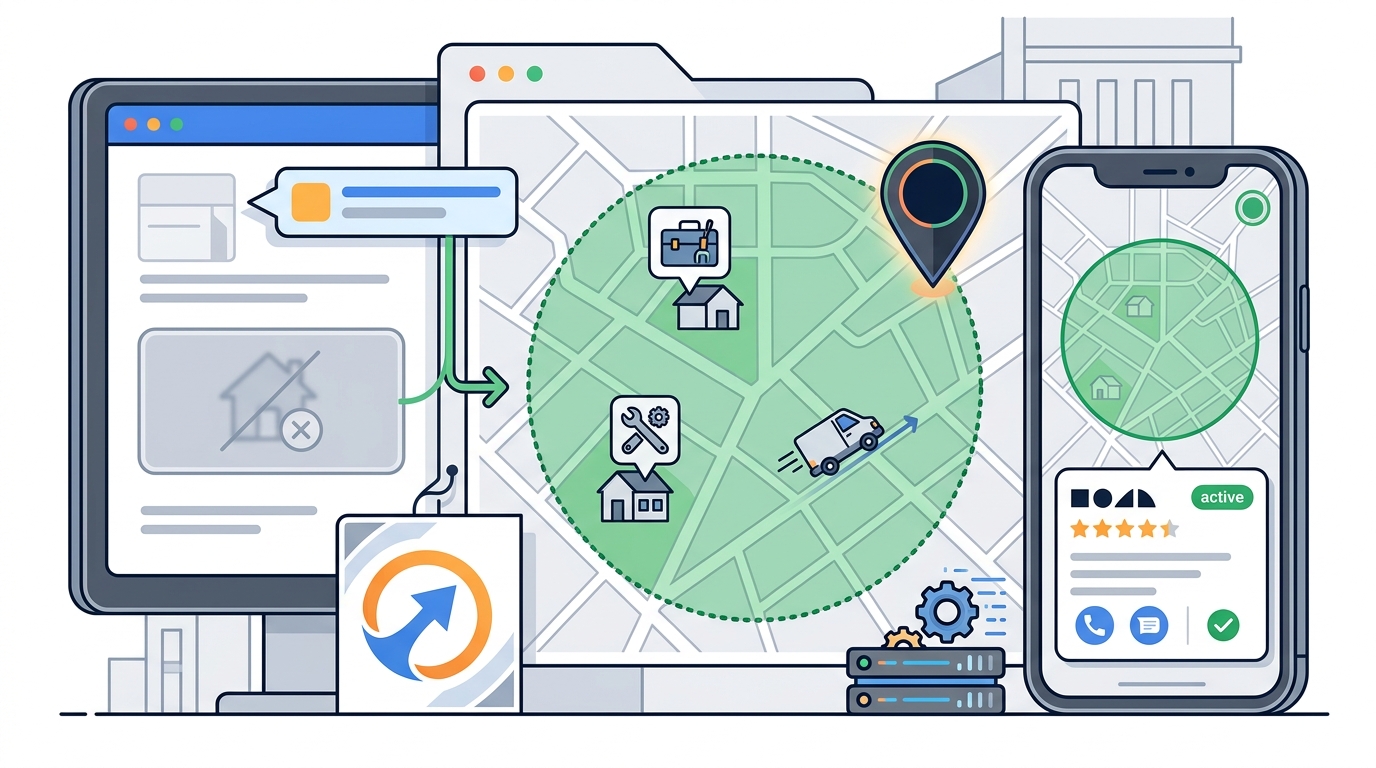
A service-area business profile is a Google listing type designed for companies that visit customers rather than serving them at a fixed location. Unlike standard storefront listings, this profile type does not display a street address on the map or in search results. Instead, it shows a service area that covers the specific cities, counties, or zip codes where you operate. This distinction is critical for privacy, as it prevents your home address or private workshop location from being publicly indexed by search engines.
Google treats these profiles differently in its local search algorithms. When a user searches for a service like "plumber near me," Google displays the service area rather than a specific pin. This allows you to compete for local visibility while maintaining the confidentiality of your physical base. The primary implication of this setup is that you must accurately define your coverage area to ensure you appear in the right geographic searches.
Choosing the Right Business Category
Selecting the correct primary category is the first technical step in configuring a hidden address profile. Google requires you to choose a category that accurately reflects your core service, such as "Mobile Mechanic" or "Home Baker." The category you select determines how Google interprets your business model and whether it permits a service-area setup. For example, a business selling physical goods from a home kitchen must select a food-related category that supports service-area visibility.
It is important to note that certain age-restricted products, including alcohol, cannabis, and weapons, require a physical storefront to qualify for a standard profile. If your business involves these items, you cannot use a hidden address setup. For most other trades, however, the service-area option is available. TapLocal App helps navigate these category restrictions to ensure your profile is built on a compliant foundation.
Defining Your Service Area Accurately
Defining your service area is the most impactful step for local search visibility. You must specify the exact geographic boundaries where you are willing to travel or deliver. This can be done by entering specific cities, counties, or zip codes. The accuracy of this data directly influences whether you appear in local search results for those locations. A vague or overly broad service area can dilute your relevance, while a precise area helps Google match you with nearby customers.
For businesses that operate from a mobile unit, such as a food truck, the service area should reflect your general territory rather than a single daily spot. You can use Google Posts to share your specific daily location without compromising the privacy of your base address. This dual approach allows you to maintain a stable, private profile while providing real-time information to customers. The implication is that your profile remains consistent and trustworthy, even as your physical location changes day to day.
Navigating the Verification Process
Verification is the final step to activate your hidden address profile. Google typically verifies service-area businesses through a short video walkthrough rather than a mailed postcard. This video must show your business setup, such as your vehicle, equipment, or workspace, to prove that you are a legitimate operator. The video should not show your home address or any identifying location markers. This process ensures that your profile is not flagged as fake or incomplete.
Some businesses may encounter additional verification steps if their address is shared with other entities. In these cases, Google may require a more detailed explanation of your business structure. TapLocal App walks you through this process personally, ensuring that you provide the correct documentation and video content. The result is a verified profile that is fully functional and ready to receive reviews from your customers.
Managing Visibility and Reviews
Once your profile is verified, you can begin managing its visibility and collecting reviews. A hidden address profile does not prevent you from building a strong reputation; in fact, reviews become even more important because customers cannot visit your location to judge you in person. Positive reviews that mention your reliability and professionalism help build trust with potential clients. You can encourage reviews by providing a simple way for customers to access your review page, such as through a branded card or a direct link.
TapLocal App provides a tap-to-review card that makes it easy for customers to leave honest feedback on Google. This card can be placed on your vehicle, included in your invoice, or handed to customers at the end of a service. The card links directly to your Google review page, ensuring that your reviews are collected in the right place. By focusing on genuine customer feedback, you can build a reputation that drives new business without compromising your privacy.
Key Takeaways
- A service-area business profile is the correct choice for businesses that need to keep their address private.
- Your physical address is hidden, but your service area is displayed to show where you operate.
- Certain age-restricted products require a physical storefront and cannot use a hidden address setup.
- Verification for service-area businesses usually involves a video walkthrough of your setup.
- Accurately defining your service area is critical for local search visibility.
- Reviews are essential for building trust when customers cannot visit your location.
- TapLocal App provides specialized support for setting up and managing hidden address profiles.
Frequently Asked Questions
Will my home address be public on Google?
No. If you set up your profile as a service-area business, your home address is hidden by design. Google only shows your defined service area, never your physical address.
How does verification work for a home-based business?
Verification usually involves a short video walkthrough of your kitchen or work setup. Your home address itself is never shown or verified publicly.
Can I list multiple locations under one profile?
No. Service-area businesses get exactly one Google profile for their whole coverage area. You cannot create separate pins for each stop or location.
What if I move locations or change my schedule?
Your service area covers your general territory, not one daily spot. For day-to-day locations, you can use Google Posts to share your current parking spot or work location.
Does this work for businesses that deliver to customers?
Yes. If your business visits or delivers to customers instead of serving them at a fixed address, you should use a service-area profile. This includes mobile technicians, delivery services, and home-based producers.
Can I still get reviews if my address is hidden?
Yes. Reviews are collected through your Google Business Profile, regardless of whether your address is visible. In fact, reviews are often more important for service-area businesses because they build trust without a physical storefront.