

One-Tap Google Review Cards: The Easiest Path for Local Businesses
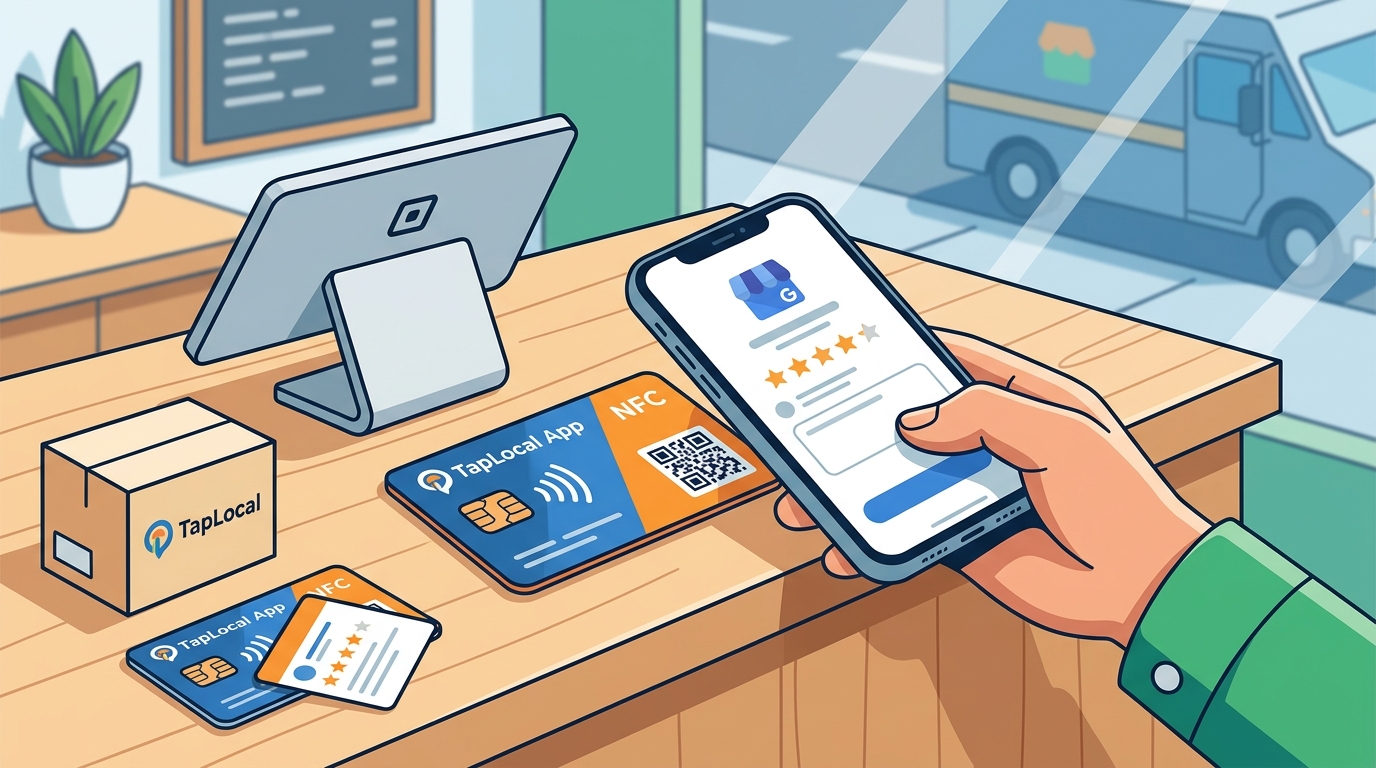
The easiest way to get a customer from your counter or truck to your Google review page in one step is using a branded NFC or QR code card. TapLocal App provides these physical cards, which customers tap or scan to land directly on your review page. This guide covers how to choose, verify, and implement these tools effectively.
How to Choose a Review Card
Choosing the right review card requires looking beyond the physical plastic. A review card is a physical interface that bridges the gap between a completed service and a public digital reputation. You must evaluate the underlying technology and the service provider's philosophy. Look for providers that prioritize honesty over manipulation. A good option makes it easy for any customer to leave a review, regardless of their satisfaction level. Avoid vendors that suggest gating or filtering unhappy customers. The best cards are simple, durable, and programmed to your specific Google Business Profile URL.
Technology Standards
NFC and QR codes are the two primary technologies used. NFC allows for a true one-tap experience on modern smartphones. QR codes require the customer to open their camera app. A robust solution often includes both on a single card to accommodate all devices. Ensure the card is programmed to your exact review link, not a generic landing page.
Provider Philosophy
The provider's stance on review integrity is critical. TapLocal App operates on a strict policy of no gating, no incentives, and no guarantees. This approach aligns with Google's policies and ensures long-term profile health. A provider that promises to hide negative reviews is a red flag. You want a partner that helps you understand your reviews, not just collect them.
Questions to Ask Before Committing
Before purchasing any review card, you should ask specific questions to ensure the service fits your business model. These questions help you avoid common pitfalls and ensure the provider understands your specific trade. Ask about their verification process and how they handle different business types. Inquire about the reporting features included with the card. A simple card is useful, but a card paired with intelligence is transformative.
Essential Questions
- Does the card link directly to my Google review page?
- Do you offer a report on what my existing reviews say?
- How do you handle service-area businesses versus storefronts?
- Do you incentivize or gate reviews in any way?
- What is the process for updating the link if my profile changes?
How to Verify Credentials
Verifying a provider's credentials is essential to protect your business reputation. A credential is a verifiable proof of a provider's legitimacy and expertise. Check for a clear legal entity and physical address. TapLocal App is operated by Taste of the Town USA, LLC, based in Albuquerque, New Mexico. Verify that the provider is not affiliated with Google, as Google does not endorse third-party review services. Look for transparent terms of use and privacy policies. A legitimate provider will clearly state that they do not manipulate reviews.
Red Flags to Watch For
Be wary of providers that use vague language about their services. If a company cannot clearly explain how their card works, do not buy it. Check for reviews of the provider itself. Ensure they have a clear contact method and a professional website. Avoid providers that pressure you for a long-term contract without a clear exit strategy.
How the Process Works
Implementing a review card is a straightforward process that typically involves four steps. The process is designed to be simple for the business owner and the customer. First, the provider sets up or cleans up your Google Business Profile. Second, they install the branded card at your counter or on your truck. Third, customers leave reviews at their own pace. Fourth, you receive a report on what your reviews say. This workflow ensures that the card is integrated into your daily operations seamlessly.
Step-by-Step Workflow
- Set Up: Build or clean up your Google Business Profile and verify it.
- Install: Place the NFC + QR card at the point of interaction.
- Collect: Customers tap or scan to leave a review.
- Learn: Receive an Intelligence Report on your review data.
Cost Factors
The cost of a review card varies based on several factors. A review card is a hardware product that may be bundled with software services. The price is driven by the quality of the card, the programming, and any additional services like profile setup or reporting. TapLocal App offers a free Intelligence Report as a courtesy, which adds value without a direct price tag. Hardware costs are typically a one-time fee. Avoid providers that charge high monthly fees for basic card functionality. Look for transparent pricing that separates hardware from optional services.
Value Proposition
Consider the total value of the package. A card that includes a free report on your existing reviews offers immediate insight. This can help you identify areas for improvement before you even start collecting new reviews. The cost of the card should be weighed against the potential increase in customers driven by positive reviews.
Common Mistakes to Avoid
Business owners often make mistakes that undermine their review strategy. A common mistake is using a generic link that does not go directly to the review page. Another mistake is failing to verify the Google Business Profile correctly. For service-area businesses, hiding the address is crucial. If you get the setup wrong, you may be invisible to local searches. Avoid the temptation to ask for specific star ratings. This violates Google's policies and can lead to profile suspension. Stick to a neutral ask that encourages honest feedback.
Setup Errors
Ensure the card is programmed to the correct URL. Test the card with multiple devices before placing it in the field. For mobile businesses, ensure your service area is defined accurately. A mismatch between your service area and your actual coverage can confuse customers and Google.
Comparison with Alternatives
There are several alternatives to physical review cards, each with its own pros and cons. Understanding these differences helps you choose the best tool for your business. The table below compares physical cards, digital receipts, and manual asks.
| Method | Effort for Customer | Effort for Business | Reliability |
|---|---|---|---|
| NFC/QR Card | Low (One tap or scan) | Low (Set and forget) | High |
| Digital Receipt | Medium (Open email/app) | Medium (Requires email capture) | Medium |
| Manual Ask | High (Requires navigation) | High (Requires staff training) | Low |
Physical cards are generally the most reliable because they do not depend on the customer remembering to open an email or app. They are always present at the point of service. Digital receipts are useful but often get ignored. Manual asks are inconsistent and can feel awkward for staff.
Situational Applications
The best way to use a review card depends on your specific business type. For a storefront, the card should be placed at the register or on the table. For a service-area business, the card should be on the truck or included in the invoice. TapLocal App provides specific guidance for different trades, from auto repair to food trucks. Each trade has unique review patterns. For example, auto repair reviews often focus on trust and transparency, while food truck reviews focus on convenience and quality. Tailor your placement and ask to match these patterns.
Trade-Specific Tips
- Auto Repair: Place the card at pickup. Focus on trust and explanation.
- Food Truck: Place the card at the window. Focus on speed and taste.
- Plumbing: Include the card in the invoice. Focus on upfront pricing.
Rules and Protections
Google has strict rules regarding reviews that you must follow. A review rule is a policy that governs how reviews are collected and displayed. Google prohibits incentivizing reviews, gating negative reviews, and fabricating reviews. Violating these rules can result in the removal of reviews or the suspension of your profile. TapLocal App adheres to these rules strictly. They do not buy, sell, gate, or incentivize reviews. This compliance protects your business from penalties. Ensure that your staff is trained to follow these rules when interacting with customers.
Policy Compliance
Understand that you do not control what customers write. You can only make it easy for them to write. Do not pressure customers to change a review. Do not offer discounts in exchange for positive reviews. These actions are detectable and punishable by Google. Stick to a neutral, honest approach.
Local Specifics
Regional Considerations
Consider the local competition. If your competitors have many reviews, you need to catch up. If they have few, you have an opportunity to stand out. Use the Intelligence Report to understand where you stand relative to your competitors. Adjust your strategy based on this data.
Timing Your Implementation
Timing is critical when implementing a review strategy. The best time to ask for a review is immediately after a positive experience. For a counter business, this is at checkout. For a truck business, this is at job completion. Do not wait for the customer to leave. The longer you wait, the less likely they are to leave a review. TapLocal App cards are designed to be used in these moments. Place the card where the customer is already looking. This reduces friction and increases the likelihood of a review. Consistency is key. Ask every customer, every time, in the same way.
Optimal Moments
- At checkout for retail and restaurants.
- At job completion for service-area businesses.
- At closing for real estate agents.
Long-Term Results
Reviews accumulate over time to form your reputation. A single review has little impact, but a pattern of reviews tells a story. Over time, a consistent flow of positive reviews will improve your ranking in local search. This leads to more visibility and more customers. The Intelligence Report helps you track this progress. It identifies recurring themes and areas for improvement. Use this data to refine your service. Long-term results are driven by consistency and quality. Focus on providing excellent service, and the reviews will follow. TapLocal App helps you monitor this process and make data-driven decisions.
Measuring Success
Track your review volume, average rating, and response rate. Monitor your local search ranking over time. Use the Intelligence Report to identify trends. Adjust your strategy based on these metrics. Success is not just about the number of reviews, but the quality and consistency of your service.
Key Takeaways
- Use a branded NFC or QR card to make it easy for customers to leave a review.
- Choose a provider that prioritizes honesty and compliance with Google's policies.
- Verify the provider's credentials and ensure they are not affiliated with Google.
- Place the card at the point of service, such as the counter or truck.
- Avoid gating, incentivizing, or pressuring customers for specific ratings.
- Use an Intelligence Report to understand what your reviews say.
- Consistency and quality of service are the drivers of long-term success.
- TapLocal App provides a free report and a simple, effective card solution.
Frequently Asked Questions
Does the card work for service-area businesses?
Yes, the card works for service-area businesses. You need to set up your Google Business Profile as a service-area business, which hides your address. The card links to your review page, which is accessible to customers in your coverage area.
Do I need to ask customers to use the card?
You should make a neutral ask. Tell them the card is there if they want to leave a review. Do not pressure them or offer incentives. This ensures compliance with Google's policies.
What if a customer leaves a negative review?
Respond professionally and address their concerns. Do not ask them to change or remove the review. This can violate Google's policies. Use the negative review as an opportunity to improve your service.
How long does it take to see results?
Results vary, but you should start seeing new reviews within days of placing the card. It takes time to build a significant volume of reviews. Consistency is key to long-term success.
Is the Intelligence Report really free?
Yes, TapLocal App offers a free Intelligence Report as a courtesy. This report analyzes your existing public reviews and provides insights in plain English. It is not a pitch, but a helpful tool for understanding your reputation.
Can I use the card for multiple locations?
Yes, each location can have its own card and Google Business Profile. Ensure that each profile is set up correctly for its specific address or service area.
What if my Google profile is suspended?
Contact Google to resolve the suspension. Do not use the card until your profile is active. Ensure that you are following Google's policies to prevent future suspensions.How do I update the link on the card?
If your Google Business Profile URL changes, you will need to update the card. Contact your provider to have the card reprogrammed with the new link. Ensure that the new link is correct before placing the card back in use.Is the card durable?
Yes, the cards are designed to be durable. They can withstand daily use in a business environment. They are made from high-quality materials that resist wear and tear.Do you offer installation services?
TapLocal App can help you set up and install the card. They can also help you set up your Google Business Profile if you need assistance. This ensures that everything is done correctly from the start.